CV
Blackbar Overlay – Game Optimizer
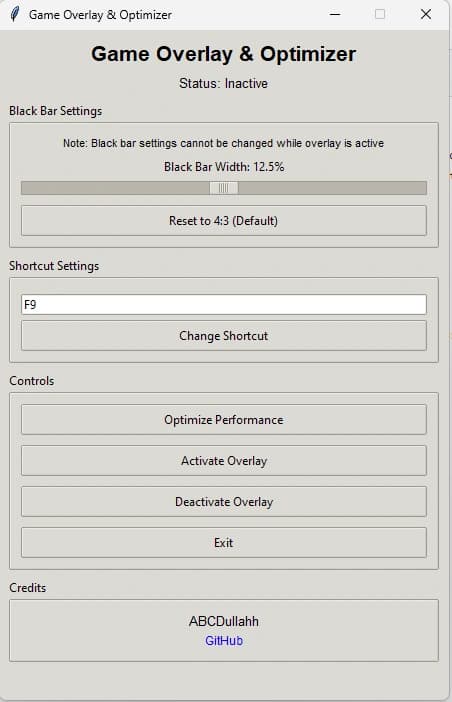
Game overlay tool that simulates 4:3 aspect ratio on widescreen displays with customizable black bars, performance optimization, and hotkey controls.
PythonPygameTkinterPsutilPywin32
System Architecture
[SYS] ─── blackbar-overlay.arch
Overview
A game overlay tool that creates adjustable black bars to simulate narrower aspect ratios with built-in performance optimization.
Problem Statement
Competitive FPS gamers often prefer 4:3 aspect ratio for a narrower field of view, but most monitors are widescreen.
Solution & Approach
Pygame-based overlay with Tkinter GUI. Black bars render on top of the game window with adjustable width. Psutil manages process priority for performance.
Key Features
- Adjustable black bar width to simulate any aspect ratio
- Performance optimizer: high-priority process settings, GPU mode switching
- Customizable hotkeys for toggling overlay during gameplay
- Background app management recommendations
- Works with any fullscreen game, not just Valorant
Results & Impact
Provides competitive advantage through customizable aspect ratio without monitor limitations.
Lessons Learned
System-level overlays require careful process priority management to avoid impacting game performance.